
Content
How to make money with a CNC router: what to produce and sell
MDF panels, letters and logos, custom parts, and acrylic giveaways: what you can sell with a CNC router and how to choose the right model based on working area.
Published on
How to make money with a CNC router?
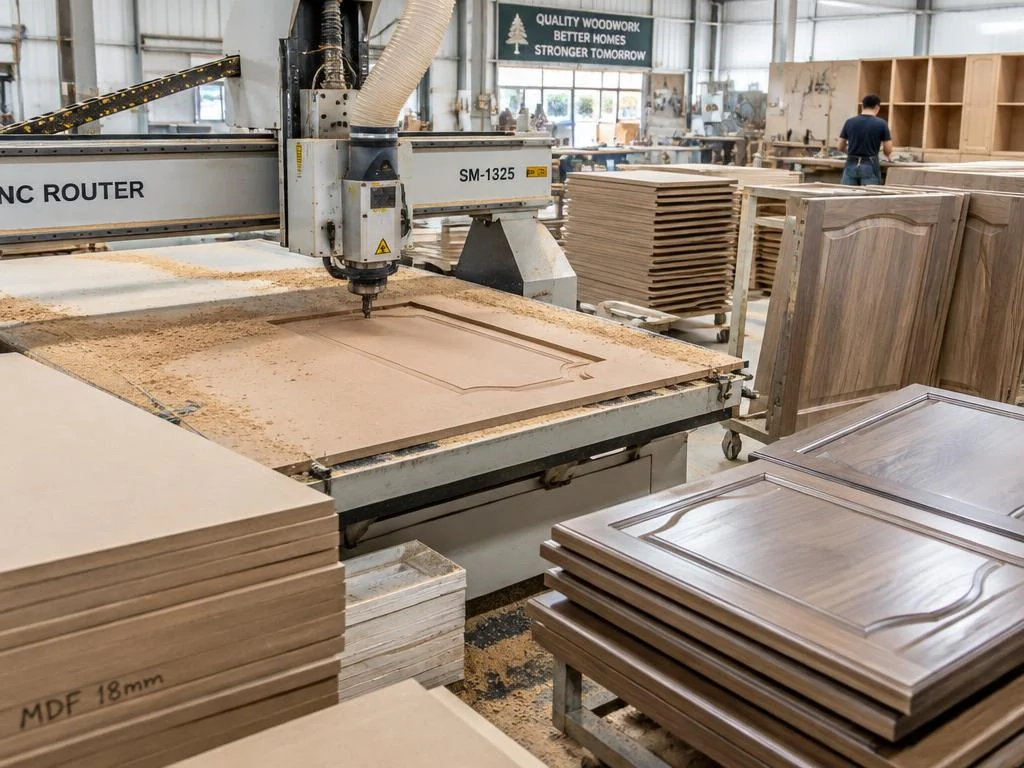
A CNC router generates revenue by cutting and machining sheets from a vector file. Revenue comes from the finished item, not the machine: that is why the first step is defining what you will sell, not the model you want to buy. The right machine is the one that fits the product you chose.
What can be sold: MDF furniture panels and fronts, lettering and logos for visual communication, partitions and niches, custom carpentry parts, ACM signs and signage, decorative items, and acrylic promotional products. The specification sheets for AMERICAN routers list wood, MDF, acrylic, ACM, PVC, and PS as working materials.
Choose by sheet size. The AMERICAN 1525 has a working area of 150 × 250 cm and 1 vacuum pump: it suits those who have less space and work with smaller parts. The AMERICAN 2030 measures 223 × 365 cm and has 2 vacuum pumps, which helps hold down the entire sheet during cutting. The AMERICAN 2050 measures 223 × 565 cm, enough area to place more than one sheet on the table at the same time and reduce downtime between jobs.
What goes into the cost. Beyond the equipment, factors include router bits and collets, the MDF or sheet material being cut, clamping time, and material waste from poor sheet yield. Models with more vacuum pumps reduce setup time and rework, significantly impacting margins for batch production.
The mechanical design is shared across all three: 4.5 kW spindle with rotation up to 24,000 rpm, maximum speed of 20 m/min, X and Y rack-and-pinion axes, Z ballscrew axis, maximum working height up to 20 cm, and special matrix vacuum table. Files can be prepared in Artcam or Ucancam, with a DDCS controller and USB and network cable connectivity.
Before buying, work backwards: list two or three products you want to sell, measure the sheet size for each, and compare it with the model's working area. TEKNOVA provides quotes upon request, and pricing depends on the selected configuration.
After the purchase, TEKNOVA offers online training courses, remote installation, lifetime technical support, and a 12-month warranty. To start safely, validate the specific material you intend to cut and your estimated daily volume with our technical team.